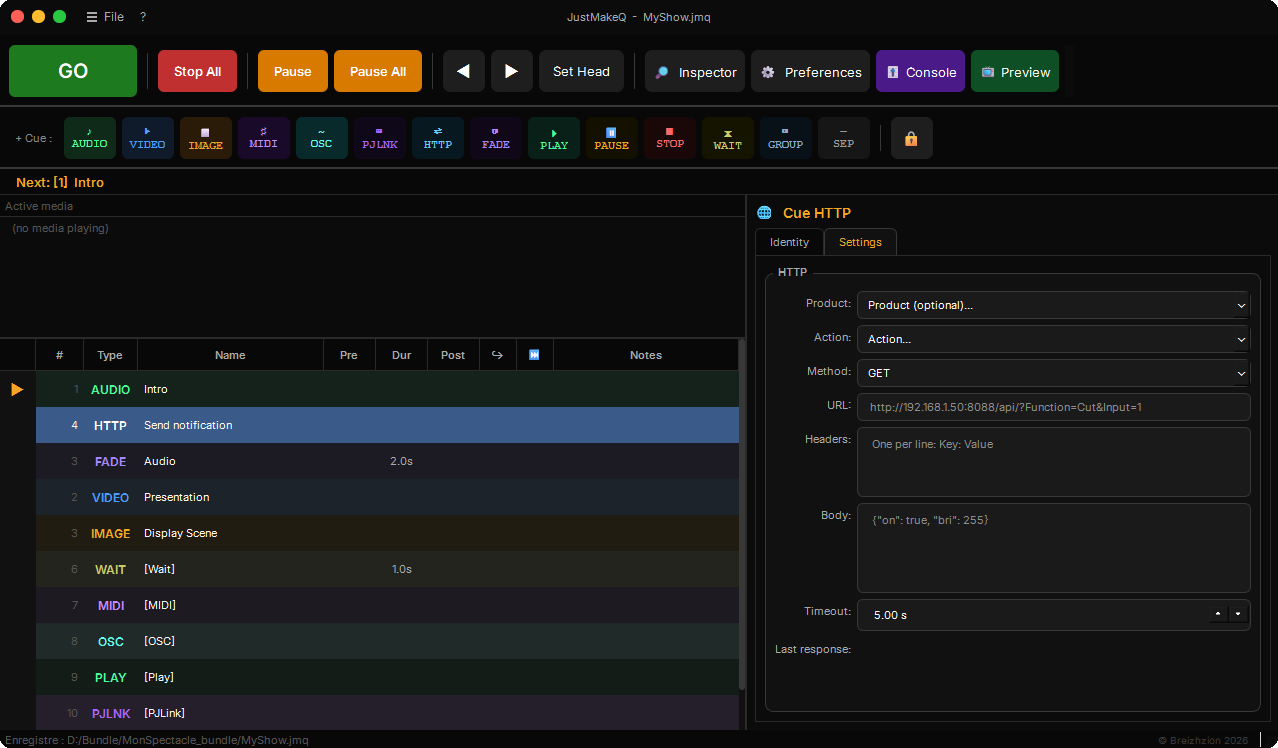
JustMakeQ unifies control of all your media in an interface designed for show operators. Easy to pick up, powerful in production.
🔊
Multichannel audio
Up to 10 configurable audio outputs. Channel matrix routing, playback through sounddevice with minimal latency.
🎛
Audio effects
Bass/Treble EQ, compressor/limiter, 16-band equaliser with its own graphical interface, reverb and delay, adjustable directly on your Audio cues and on the sound track of your Video cues.
🎬
Video & mapping
High-quality video rendering with 3D X/Y/Z rotation, keystone, warp mesh, edge blending and shape masks for projection mapping. Optionally, rendering on the graphics card holds 4K at 60 frames per second, warp and mask included, with a decent graphics card. Spherical media and 360° videos are projected onto a ball or a cylinder, and a warp can be exported to reuse on another computer.
🎥
Live video stream
Display a live network stream on your projection surfaces: IP camera, encoder or mixer over RTSP, RTMP, SRT, RIST, UDP/RTP, TCP or HLS. Same geometry, effects and audio mixing as regular video cues.
📷
Live video inputs
Display a webcam, a capture card or a network NDI source on your surfaces, with the source audio routed into the console and an A/V sync adjustable live.
🎙
Live audio inputs
Play a live audio source through the routing: sound card or USB console input, Dante via Dante Virtual Soundcard, or the audio of an NDI source. Master and faders like an Audio cue, fades via Fade cues.
💬
Surtitling
Text cue with font, colours, highlight, transparent or coloured background and adjustable fades. Import a .srt file: each subtitle becomes a cue, advanced line by line with the space bar, in a cross-fade.
🎨
Video effects
Saturation, contrast, brightness, black and white, sepia - adjustable directly on your Video and Image cues.
🖼
Images & surfaces
Display still images on your projection surfaces with full control over geometric transformation.
🎹
Multiport MIDI IN/OUT
Send MIDI commands to your consoles and synthesisers. Receive MIDI from up to 4 simultaneous ports to fire your cues from an external controller.
📡
Bidirectional OSC
Send OSC commands to other software or devices. Built-in OSC server to receive commands from the network. Preconfigured banks: ETC EOS, QLab, D::Light, grandMA3, ChamSys MagicQ, Midas M32/Behringer X32, Infinity Chimp 100/300, OBS Studio, Yamaha DM3, Resolume Arena/Avenue, Millumin, High End Systems Hog 4.
📽
PJLink control
Drive your projectors over the network: power on, power off, input selection, audio/video mute, freeze frame.
🎦
PTZ camera control
Drive your motorised pan/tilt/zoom cameras straight from your cues: VISCA-over-IP protocol or ONVIF service, plus a ready-made HTTP template for PTZOptics and compatible cameras.
🌐
HTTP cue
Fire HTTP requests to other software and devices: vMix, WLED, Bitfocus Companion, Philips Hue, Shelly, Home Assistant, Discord, n8n, Pushover, ntfy and Avolites Titan, with ready-made templates.
🎚
Output console
Global Master mixer plus 10 channels with VU meters, per-fader MIDI Learn, channel linking, and copy/paste of settings to a cue's mixer.
👁
Video preview
Check the content and calibration of a video cue on the real output screen, with a visual marker, without firing the cue in the sequence.
⚡
Advanced sequencing
Auto-follow, auto-continue, pre/post-waits, list or simultaneous groups, jumps within the sequence (GoTo) and triggers independent of the playhead (Play/Pause). Build complex shows with precision. A QLab 5 show can be imported, with an active licence.
⏱
Timeline view
A timeline view below the cue list shows how your show runs: which cues start together, which chain, on which screen, and conflicts when two videos overlap. Adjust waits with the mouse or keyboard, with edge snapping and one-step undo.
⏩
Playback speed
Set playback speed from 0.25x to 4x on your Audio and Video cues, including gradual change through a Fade cue.